Sign in
500,000+
Users
Half a million professionals have downloaded BizConnect on iOS and Android, making it one of the most-installed business card scanner apps globally.
BizConnect is the best business card scanner which helps you to be productive and boost your sales performance by 23%.



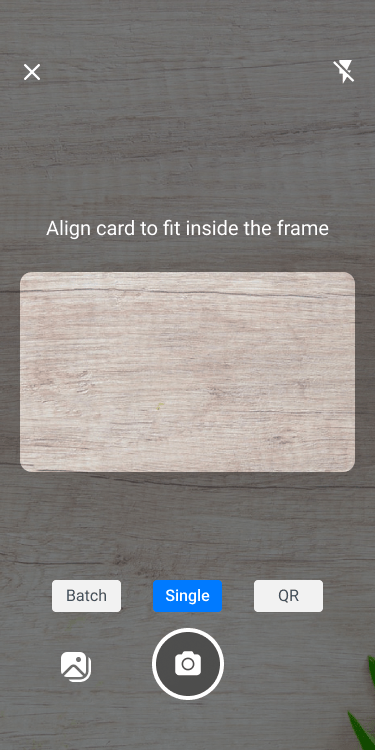
Establish a mutually beneficial relationship with other business people and potential clients. One stop solution for all your business card and lead management. Let BizConnect do what it does best and predict successful conversion metrics for your leads and generate reports for you

BizConnect doubles as a lightweight CRM (Customer Relationship Manager) for sales teams and solo professionals. After scanning a business card, the contact is saved as a lead that you can nurture through the built-in pipeline. Log calls, schedule meetings, add notes, and track how each lead moves from first contact to closed deal — all inside the same app you used to scan the card.

For organisations with field sales teams, BizConnect provides an admin dashboard where managers can add team members, assign territories, and monitor daily activities. The admin sees real-time data on cards scanned, tasks completed, and revenue generated. Team members receive push-notification reminders for pending tasks, keeping everyone accountable without micro-management.
BizConnect doubles as a lightweight CRM (Customer Relationship Manager) for sales teams and solo professionals. After scanning a business card, the contact is saved as a lead that you can nurture through the built-in pipeline. Log calls, schedule meetings, add notes, and track how each lead moves from first contact to closed deal — all inside the same app you used to scan the card.
For organisations with field sales teams, BizConnect provides an admin dashboard where managers can add team members, assign territories, and monitor daily activities. The admin sees real-time data on cards scanned, tasks completed, and revenue generated. Team members receive push-notification reminders for pending tasks, keeping everyone accountable without micro-management.

Whether you are a freelancer collecting cards at a co-working space or a 200-person sales team at an enterprise company, BizConnect adapts to your workflow. Individual users get unlimited card scanning, cloud backup, and contact sharing. Business users add team management, admin controls, role-based access, and integration with enterprise CRMs like Salesforce, HubSpot, and Zoho.
BizConnect syncs with the tools you already use. Export contacts to Google Contacts, Microsoft Outlook, or download them as an Excel spreadsheet. Connect through Zapier to push scanned contacts into hundreds of other apps — Mailchimp, Slack, Trello, Airtable, and more. Once connected, every new scan flows automatically into your chosen platform, so you never have to copy-paste contact details again.
Whether you are a freelancer collecting cards at a co-working space or a 200-person sales team at an enterprise company, BizConnect adapts to your workflow. Individual users get unlimited card scanning, cloud backup, and contact sharing. Business users add team management, admin controls, role-based access, and integration with enterprise CRMs like Salesforce, HubSpot, and Zoho.
BizConnect syncs with the tools you already use. Export contacts to Google Contacts, Microsoft Outlook, or download them as an Excel spreadsheet. Connect through Zapier to push scanned contacts into hundreds of other apps — Mailchimp, Slack, Trello, Airtable, and more. Once connected, every new scan flows automatically into your chosen platform, so you never have to copy-paste contact details again.
BizConnect by the Numbers
BizConnect has earned trust across industries and geographies since its launch. The numbers speak for the app's reliability and real-world usefulness among professionals and organisations.
Half a million professionals have downloaded BizConnect on iOS and Android, making it one of the most-installed business card scanner apps globally.

Users have left over five thousand ratings on the App Store and Google Play, with an average score well above 4 stars.

From real estate agents and insurance advisors to event organisers and startup founders, hundreds of thousands of professionals rely on BizConnect weekly.

Companies across India, the UAE, the US, the UK, and Southeast Asia use BizConnect's enterprise plan for their field sales and networking teams.
BizConnect is available for free on the Google Play Store (Android) and Apple App Store (iOS). Sign up with your email or Google account.
Tap Scan and point your camera at the front of a business card. BizConnect uses OCR (Optical Character Recognition) to read the name, title, company, phone number, email, and address. Flip the card and scan the back if it has additional details.
The app shows you the extracted information. Edit anything that needs correction, add tags or notes, then save the contact to your BizConnect account.
Export the contact to Google Contacts, Outlook, Excel, Salesforce, HubSpot, or Zoho. Or assign a follow-up task with a reminder date so you never lose track of a new connection.
BizConnect connects with the platforms that sales teams and professionals already use every day. Here is the full list of supported integrations:

Sync scanned contacts directly to your Google account so they appear on your phone, Gmail, and Google Workspace.

Export cards to your Outlook address book with one tap. Works with both personal and Microsoft 365 business accounts.

Download your entire contact database as an Excel file for bulk mail-merge, event follow-ups, or CRM imports.

Push scanned leads straight into your Salesforce pipeline. No manual data entry required.

Send new contacts to HubSpot CRM and trigger automated email sequences from a single card scan.

Import scanned cards into Zoho and assign them to the right sales rep automatically.

Connect BizConnect to 5,000+ apps through Zapier — including Mailchimp, Slack, Trello, and Airtable — for fully automated workflows.
“This app is very useful. I don't have to worry about losing my contacts anymore. All I have to do is scan the business card and BizConnect app stores the Data. It also helped me to connect with few professoionals around me. This feature of connecting nearby professionals makes this app stand out of all other similar apps. I have been using this from past few months and Iam very much satisfied with the app performance.


“Simple to use and very effective Capture business cards and add to contacts. Exactly what I needed. Very accurate, all information is correctly converted to text and exported to contacts. It's processing very slowly but it's OK. Perfect results.

“This is a beautiful creation from the team. It will be absolutely useful for sales persons like me who are doing the corporate sales. Thanks for the app.

“Excellent app and great support service. I had trouble logging into my account and they responded with email and phone call within 24hrs. The problem was my mistake but impressed with how much effort they went to to resolve it quickly for me.

“This app is very useful. I don't have to worry about losing my contacts anymore. All I have to do is scan the business card and BizConnect app stores the Data. It also helped me to connect with few professoionals around me. This feature of connecting nearby professionals makes this app stand out of all other similar apps. I have been using this from past few months and Iam very much satisfied with the app performance.

“Simple to use and very effective Capture business cards and add to contacts. Exactly what I needed. Very accurate, all information is correctly converted to text and exported to contacts. It's processing very slowly but it's OK. Perfect results.
“This is a beautiful creation from the team. It will be absolutely useful for sales persons like me who are doing the corporate sales. Thanks for the app.
“Excellent app and great support service. I had trouble logging into my account and they responded with email and phone call within 24hrs. The problem was my mistake but impressed with how much effort they went to to resolve it quickly for me.
Cancel or upgrade anytime without any hassle
$9.99/mo
Billed Monthly
 Scan Unlimited CardContact Management1 LicenceTasks & RemindersActivity HistoryExport To ExcelSync With Google & OutlookCloud Backup
 SharingAdministration
$79.99/yr
Billed Yearly
Scan Unlimited CardContact Management1 LicenceTasks & RemindersActivity HistoryExport To ExcelSync With Google & OutlookCloud BackupSharingAdministration$399.99/yr
Get upto 25% off
Scan Unlimited CardContact Management10 LicenceTasks & RemindersActivity HistoryExport To ExcelSync With Google & OutlookCloud BackupSharingAdministration$79.99/yr
Billed
Yearly
Scan Unlimited CardContact Management1 LicenceTasks & RemindersActivity HistoryExport To ExcelSync With Google & OutlookCloud BackupSharingAdministration$9.99/mo
Billed Monthly
Scan Unlimited CardContact Management1 LicenceTasks & RemindersActivity HistoryExport To ExcelSync With Google & OutlookCloud BackupSharingAdministration$399.99/yr
Get upto 25% off
Scan Unlimited CardContact Management10 LicenceTasks & RemindersActivity HistoryExport To ExcelSync With Google & OutlookCloud BackupSharingAdministration